Bluetooth LE Audio vs Classic Audio is a choice between two Bluetooth audio architectures, not a simple “newer version wins” upgrade. Classic Audio sends sound over the Bluetooth Classic radio. LE Audio uses the Bluetooth Low Energy radio, the LC3 codec and a newer set of profiles for calls, media, hearing assistance and broadcast audio.
For buyers, the practical rule is to check the exact features supported by both the source and the listening device. A phone that supports LE Audio cannot add it to headphones built only for Classic Audio, and a Bluetooth version number by itself does not confirm support for LC3 or Auracast.
The short answer
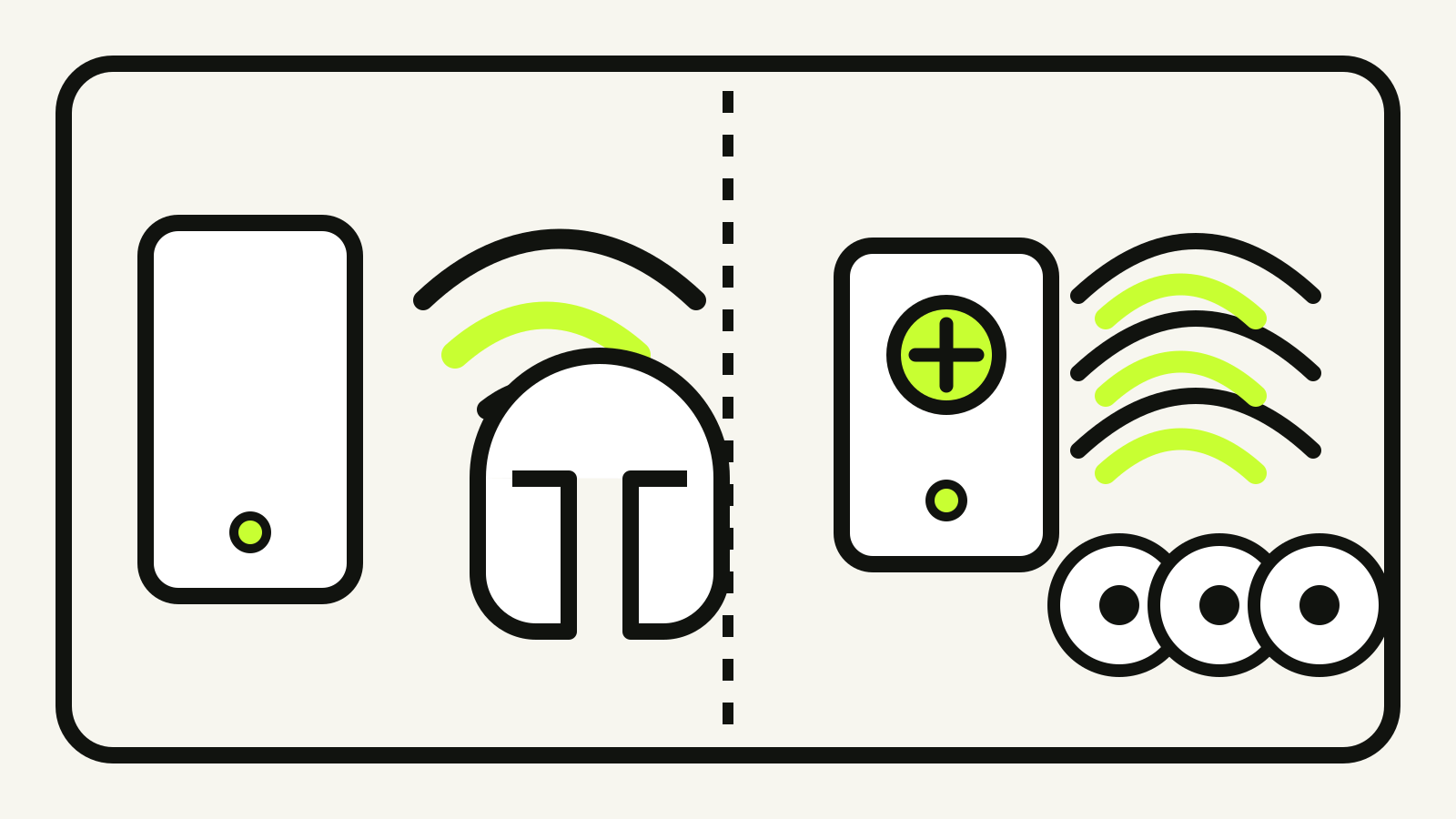
Classic Audio remains the familiar path for ordinary one-to-one listening with existing phones, computers, speakers and headphones. LE Audio can serve similar listening and calling uses, while adding synchronized multi-stream audio, standardized hearing-assistance profiles and broadcast audio.
Bluetooth SIG describes LE Audio as a separate architecture with more than 20 specifications. That matters because “LE Audio” is not one switch. A product may implement a particular set of profiles and use cases. Check the manufacturer’s specification for the exact source, headphones or hearing device rather than assuming every advertised LE Audio feature is present.
Radio and codec are separate layers
Bluetooth SIG’s LE Audio overview draws the first boundary clearly: Classic Audio operates on the Bluetooth Classic radio, while LE Audio operates on the Bluetooth Low Energy radio.
The audio codec changes too. Classic Audio includes the SBC codec as its basic interoperable option. LE Audio introduces the Low Complexity Communications Codec, or LC3. Bluetooth SIG says LC3 is designed to give product makers a better tradeoff between sound quality, data rate and power use. Its published comparison says listening tests found better quality than SBC at half the bit rate. That is a standards-body claim about the codec, not a guarantee that every pair of earbuds lasts longer or sounds better. Battery size, radio design, tuning and the chosen LC3 configuration still matter.
This is similar to the distinction in our guide to USB-C and Thunderbolt: a familiar label can identify one layer without proving every capability in the final product.
What multi-stream changes
Classic wireless earbuds commonly receive one audio connection and coordinate the left and right sides inside the product. LE Audio’s Multi-Stream Audio supports multiple independent, synchronized streams between a source and one or more listening devices.
Bluetooth SIG says this architecture can improve stereo imaging, voice-assistant use and switching between sources in true wireless earbuds. It also gives hearing devices a standardized way to work as a coordinated set. The key word is “can.” Multi-stream support gives manufacturers a common mechanism; the quality of a particular implementation still depends on the product.
Auracast is broadcast, not ordinary pairing
Auracast is the public-facing name for defined configurations of LE broadcast audio. Instead of pairing one source with one listener, an Auracast transmitter can broadcast one or more audio streams to nearby compatible receivers. Bluetooth SIG says the architecture does not set a fixed number of receiving devices.
That enables use cases that ordinary point-to-point pairing does not handle well: several people listening to the same television, a public screen carrying its own audio, or a venue sending a program directly to compatible hearing devices and earbuds.
The Public Broadcast Profile defines the interoperable broadcast configuration behind the Auracast brand. A product carrying the Auracast trademark must be qualified for that profile and meet the trademark requirements. “Bluetooth,” “Bluetooth Low Energy” and even “LE Audio” on a specification sheet therefore do not automatically mean the product can join an Auracast broadcast.
Profiles determine what two products can do
The LE Audio specifications map separates the architecture into several layers:
| Part | What it covers |
|---|---|
| LC3 | Audio encoding and decoding |
| Basic Audio Profile | Discovery and configuration of unicast and broadcast streams |
| Telephony and Media Audio Profile | Interoperable calling and media use |
| Hearing Access Profile | Hearing aids and other hearing-assistance devices |
| Public Broadcast Profile | Public broadcast audio, including Auracast configurations |
| Control profiles | Media, calls, microphones, volume and coordinated device sets |
This profile model explains why two products can both mention LE Audio yet expose different features. One may support calls and music but not public broadcast reception. Another may receive Auracast but not transmit it. Compatibility is a statement about the complete source-and-receiver pair, not either device in isolation.
A practical compatibility checklist
Before buying or troubleshooting, check these points in the documentation for both devices:
- LE Audio is named explicitly. A recent Bluetooth Core version or “Bluetooth Low Energy” support is not enough.
- The intended role is listed. For Auracast, determine whether the product transmits, receives or helps another receiver find a broadcast.
- The relevant use is supported. Music, calls, gaming, hearing assistance and public broadcast use different profiles and configurations.
- The operating system and hardware both qualify. A software update cannot create radio or controller capabilities missing from the device.
- Fallback behavior is clear. Dual-mode products may use Classic Audio with one device and LE Audio with another. The active mode can change which features are available.
If a product page only says “Bluetooth 5.x,” ask for the LE Audio profiles or the specific LC3 and Auracast roles it supports. Version numbers describe the Core specification implemented by the radio. They are not a complete feature list.
Which one should you choose?
Choose based on the devices you need to connect today. Classic Audio is appropriate when broad compatibility with existing hardware matters most. LE Audio becomes useful when both ends support the required profiles and you want a feature tied to the new architecture: coordinated streams, hearing-assistance support, LC3-based audio or Auracast broadcast.
There is no reason to replace working Classic Audio equipment solely because LE Audio exists. There is also no value in paying for an LE Audio label without confirming the particular role you need. The useful purchase question is precise: “Can this source and this receiver use this feature together?”
Sources and document date
Checked 21 October 2026 against Bluetooth SIG’s LE Audio overview, LE Audio specifications map, Auracast developer overview and the 24 January 2025 description of Introducing Bluetooth LE Audio, second edition. No device testing was performed for this guide.