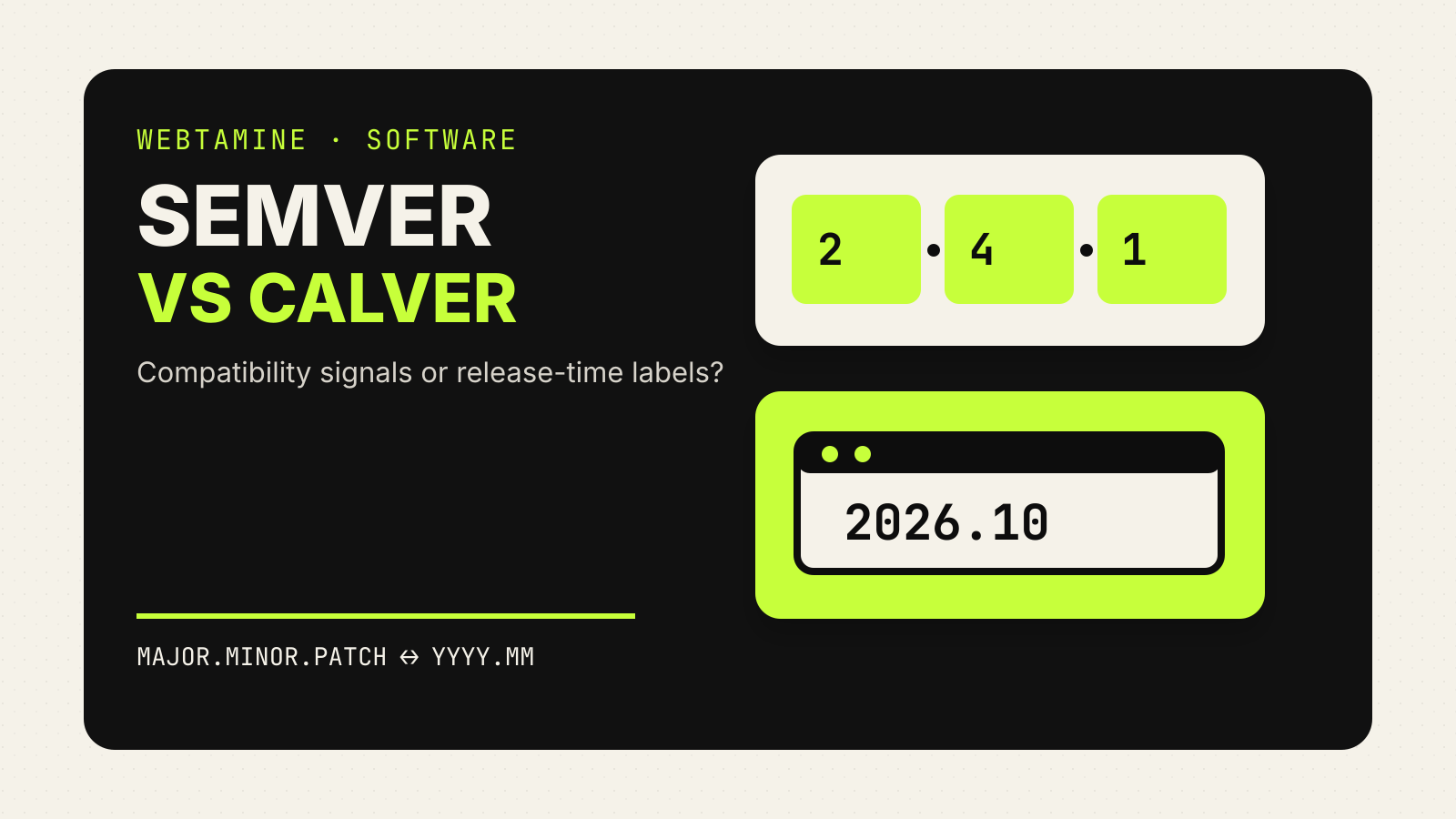
Semantic versioning vs calendar versioning is a choice about what a release number should communicate. SemVer uses the number to signal compatibility with a declared public API. CalVer uses part of the release date, making timing immediately visible. Neither scheme tells users everything they need to know, and neither removes the need for release notes and a support policy.
If you maintain a library, the compatibility promise may be the useful signal. If you ship an operating system, dataset or continuously updated application, the age of a release may matter more. The decision begins with the question users ask when they see a new version.
The short comparison
| Question | Semantic Versioning | Calendar Versioning |
|---|---|---|
| Typical shape | MAJOR.MINOR.PATCH, such as 3.2.1 | A chosen date pattern, such as 2026.10 |
| Main signal | Expected API compatibility | When the release belongs in the calendar |
| Breaking change | Raises the major number after 1.0.0 | Must be explained through another rule or policy |
| Release cadence | Not encoded | Visible by design |
| Best fit | Public APIs and packages with meaningful compatibility promises | Projects where recency and support windows matter |
| Still required | Release notes, deprecation policy, support dates | Release notes, compatibility policy, support dates |
The table is a design aid, not a standard that assigns every project to one side. A product can combine a date-based release label with a separately versioned API.
What SemVer promises
The Semantic Versioning 2.0.0 specification defines a three-part number:
- MAJOR changes when the public API changes incompatibly.
- MINOR changes when backward-compatible functionality is added or public API functionality is deprecated.
- PATCH changes for backward-compatible bug fixes.
SemVer starts with a declared public API. Without one, the numbers cannot say what remained compatible. A web application with no supported integration surface may still use SemVer, but its users need to know what the project considers public: HTTP endpoints, configuration files, a plugin interface, command-line flags, stored data, or something else.
Version 0.y.z has a special meaning. The specification treats it as initial development, when anything may change and the public API should not be considered stable. Version 1.0.0 defines that public API.
Webtamine’s guide to semantic versioning covers pre-releases, build metadata, npm ranges and lockfiles in more detail.
What CalVer communicates
Calendar Versioning is a family of conventions rather than one mandatory format. A project chooses calendar components that fit its release process. The official CalVer guide names tokens including:
YYYYfor a four-digit year;YYor0Yfor short-year forms;Mor0Mfor month;Wor0Wfor week; andDor0Dfor day.
A release might therefore use 2026.10, 26.10 or a more precise date. Those strings tell a reader where the release sits in time. They do not, on their own, promise that an API stayed compatible.
The scheme must also define what happens when there is more than one release in the same period. A micro number or modifier can distinguish them. That rule belongs in the project’s documentation because “CalVer” alone does not select the exact pattern.
Breaking changes are the dividing line
SemVer places the compatibility signal inside the version number. A move from 4.8.2 to 5.0.0 says that an incompatible public API change exists. That does not reveal which calls changed, but it tells an integrator to stop and read the migration notes.
A CalVer release such as 2026.10 reveals its date, not whether it breaks an API. A project using CalVer needs another explicit mechanism: a compatibility document, a deprecation window, an API generation number, a migration notice, or a separate SemVer version for the interface.
This distinction matters in automation. A package manager can interpret a SemVer range such as “accept compatible 3.x releases” only if the publisher keeps the SemVer promise. A date comparison can tell software which build is newer, but cannot safely infer compatibility unless the project defines an additional rule.
Support windows are a separate contract
A date-based version can make maintenance conversations easier. A support team can quickly see whether 2024.04 is older than 2026.10. But the number does not establish how long either release receives fixes.
SemVer has the same boundary. Version 2.7.4 says something about changes between releases, not when support ends. A project should publish the supported release lines, end-of-life dates, security-fix policy and upgrade path separately.
This is why copying another project’s numbering style rarely solves a support problem. The visible format and the maintenance policy are related, but they are not the same document.
A practical decision test
Choose SemVer when all of these are true:
- The project has a public API that can be described.
- Consumers need to automate dependency updates.
- The team can classify changes as compatible or incompatible.
- A major-version change is an acceptable way to flag migration work.
Choose CalVer when these questions dominate instead:
- Does the release’s age affect whether it should be installed or supported?
- Is the project delivered on a time-based train?
- Do users normally move between complete releases rather than mix library versions?
- Can compatibility and migration rules be documented outside the version string?
If both sets matter, split the concerns. The product release can use CalVer while an embedded SDK or API uses SemVer. Another option is a date-based product label plus an explicitly versioned API path. The important part is to avoid asking one unexplained number to carry two different contracts.
Migration mistakes to avoid
Changing the format can disrupt more than documentation. Build scripts, package registries, update comparators and dashboards may parse versions according to old assumptions. A date such as 2026.10 can be syntactically valid as a SemVer-like two-part string in one tool and rejected by another.
Before switching:
- list every system that sorts, compares or validates version strings;
- state how old and new versions compare;
- decide how pre-releases and emergency fixes are labeled;
- document the first release under the new scheme; and
- keep the compatibility policy visible beside the numbering policy.
Do not imply that CalVer is “more modern” or that SemVer guarantees compatibility by itself. SemVer works only when maintainers correctly identify the public API and keep the promise. CalVer works only when the chosen date pattern and the rules around it are clear.
Common questions
Is CalVer compatible with SemVer?
A CalVer string can sometimes fit SemVer’s numeric syntax, but the meaning is different. Syntax compatibility does not turn a date into a compatibility promise.
Can CalVer show breaking changes?
Not by itself. A CalVer project can add a separate API version, migration marker or documented breaking-change policy.
Does SemVer tell me whether a release is still supported?
No. It describes changes to a public API. Support duration and end-of-life dates need a separate policy.
Can one project use both?
Yes. A product can label time-based releases with CalVer while versioning a public API or SDK with SemVer.
Sources and check date
Checked October 23, 2026.