The two npm lockfiles use the same data format, but they do not make the same promise when a package is published or installed by someone else.
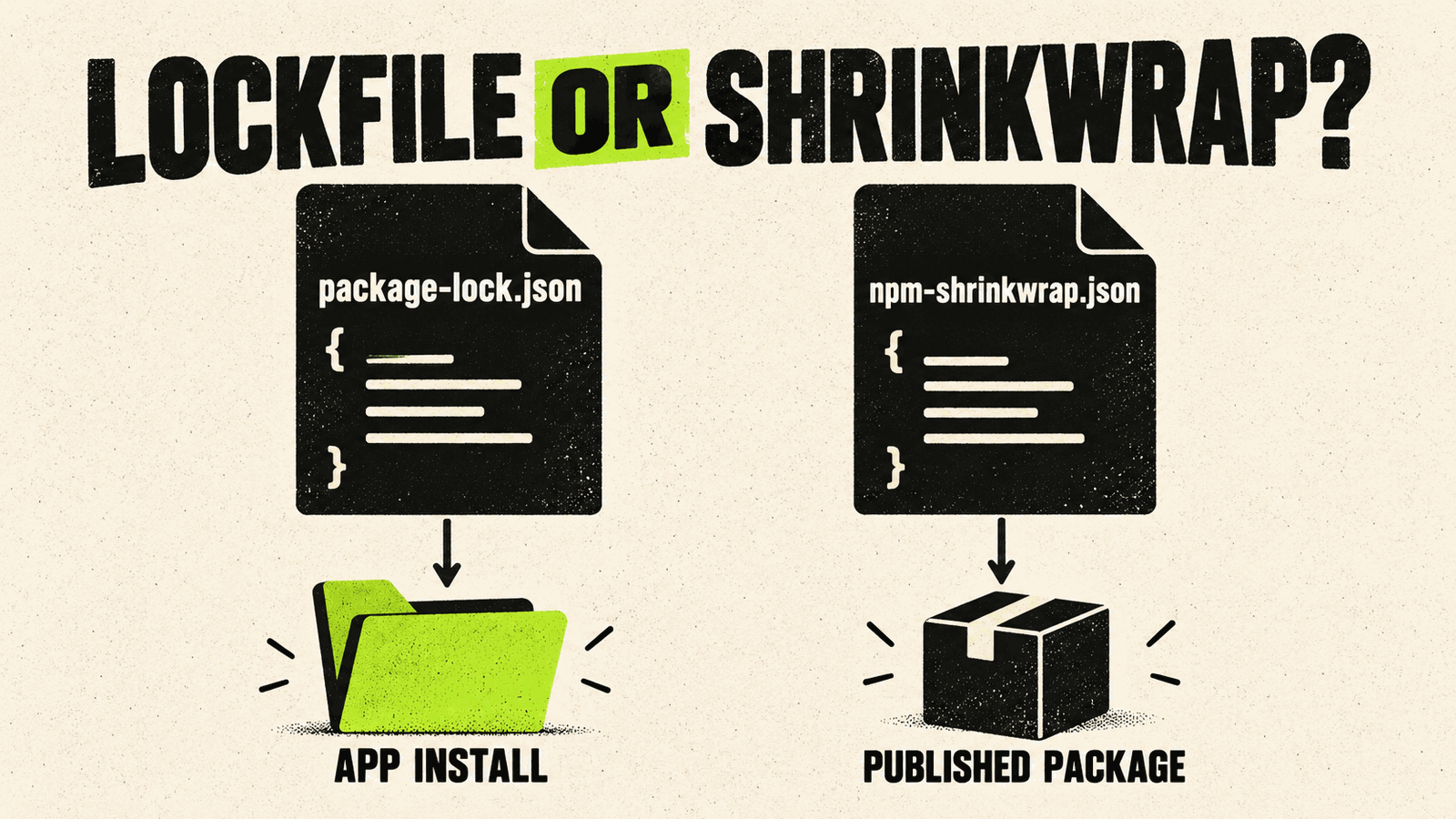
If you are building an application, commit package-lock.json. If you maintain a package and need downstream installs to follow a locked dependency tree, npm-shrinkwrap.json is the publishable form. npm gives npm-shrinkwrap.json priority when both files exist.
The short answer
| File | Typical owner | Published with a package? | Wins when both exist? |
|---|---|---|---|
package-lock.json | Applications and ordinary repositories | No | No |
npm-shrinkwrap.json | Packages that deliberately lock dependencies for consumers | Yes | Yes |
Both files describe an exact dependency tree. The difference is where npm applies that tree. A package lock is for the project that owns the repository. A shrinkwrap can travel in the package published to the registry.
What package-lock.json records
npm creates or updates package-lock.json when an install changes node_modules or package.json. The file records enough information for npm to reproduce the dependency tree without resolving every version range again.
That record includes the resolved package versions and integrity information used during installation. Committing it gives collaborators and CI the same starting tree. It also makes dependency changes visible in code review.
The lockfile does not replace package.json. The manifest still declares the direct dependencies and version ranges your project accepts. The lockfile records the concrete tree selected for this repository.
What npm-shrinkwrap.json changes
npm-shrinkwrap.json uses the same format as package-lock.json, but npm allows it to be included in a published package. When both files are present at the project root, npm uses the shrinkwrap and ignores the package lock.
That behavior is useful for command-line tools and other packages whose maintainers need a known dependency tree in downstream installations. It is a strong choice: consumers lose some freedom to receive newer transitive versions that still satisfy the ranges in package.json.
Do not rename every package lock to a shrinkwrap. A library generally benefits from letting the consuming application resolve a compatible tree and own its top-level lockfile. Use shrinkwrap only when locking transitive dependencies for consumers is part of the package’s release policy.
Application versus library
For an application:
- keep
package.jsonandpackage-lock.jsonin version control; - review both when dependencies change;
- use
npm ciin CI when you want the saved tree enforced; - regenerate the lockfile with a deliberate install command rather than editing it by hand.
For a reusable library:
- keep a package lock for the library’s own development and tests;
- publish the manifest and built package;
- let the consuming application select and lock the complete tree;
- choose shrinkwrap only when downstream locking is intentional and documented.
For a globally installed CLI, shrinkwrap may be reasonable because the executable is closer to an application than a library. The maintainer still needs a process for security updates: an exact tree stays exact until a new release changes it.
How npm ci uses the lockfile
npm ci requires an existing package-lock.json or npm-shrinkwrap.json. If the lockfile and package.json disagree, the command exits instead of updating the lockfile. It also removes an existing node_modules directory before installing and does not write to the manifest or lockfile.
That makes npm ci useful for clean, repeatable automation. It does not make the registry or network infallible, and it does not prove that a dependency is safe. It only enforces the dependency tree already recorded.
If the lockfile was created with flags that affect the tree, npm’s documentation says CI should use the same settings. A project that commits an .npmrc can keep those install choices with the repository.
When the files drift
A merge can leave package.json and the lockfile out of sync. Do not solve that by deleting the lockfile in CI. Reproduce the conflict locally, run the appropriate npm install command, review the resulting tree and commit the corrected files together.
Check these questions in review:
- Did a direct dependency change in
package.json? - Did a transitive package move even though the manifest did not?
- Did the lockfile version change because the npm version changed?
- Did registry or install settings change the resolved tree?
- Was a shrinkwrap introduced deliberately?
The diff can be large, but the decision should still be explainable.
A practical rule
Use package-lock.json to make development and deployment of your own project repeatable. Use npm-shrinkwrap.json only when the package you publish must carry that exact dependency tree to its consumers.
If automated installs hit temporary registry errors, handle the HTTP response rather than deleting the lockfile. Our Retry-After guide explains how to bound retries for 429 and 503 responses.
Sources and version note
This guide was checked on October 31, 2026 against npm CLI v11 documentation for package-lock.json, npm-shrinkwrap.json and npm ci. npm behavior and lockfile formats can change between CLI versions; check the documentation for the version used by your project.