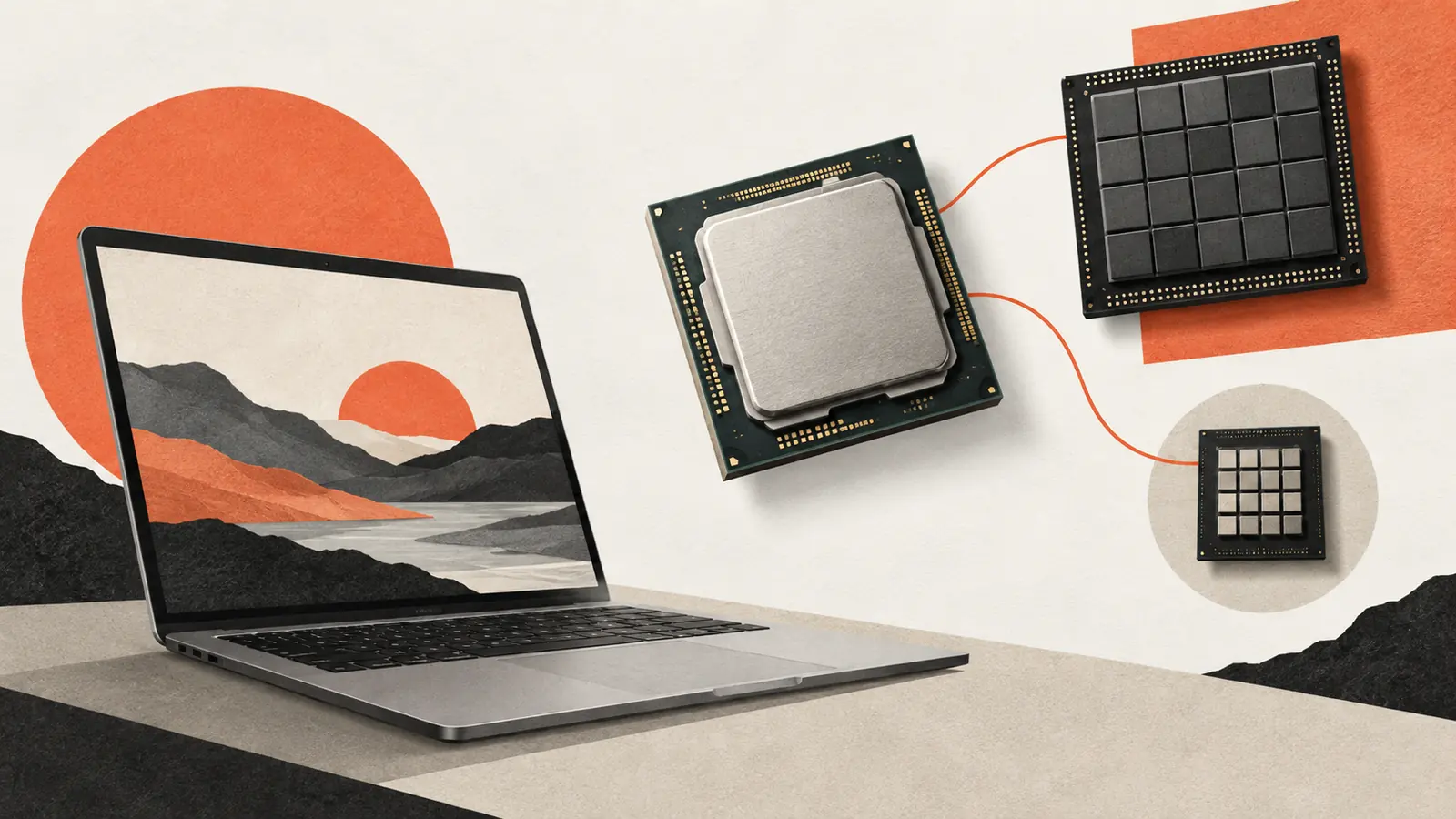
An AI PC can contain a processor designed to accelerate neural-network operations. That neural processing unit, or NPU, can make certain supported workloads more efficient. It does not automatically make every AI application local, faster or available without a subscription.
The application must use a compatible model and a software path that can send the relevant work to the NPU. Other parts of the task may still run on the CPU, GPU or a remote server.
When comparing devices, start with the feature you want to use. The presence of an NPU is a hardware fact; support for a particular workflow is a product fact that needs a separate check.
The NPU shares work with other processors
A CPU handles a wide variety of general computing tasks. A GPU is built for highly parallel work and is widely used for graphics and machine learning. An NPU specializes in operations common to neural-network inference, often with efficiency as a central design goal.
These are complementary resources. A single application can use several of them: the CPU for coordination, a GPU for one operation and an NPU for a supported model. Moving work between processors also involves data handling and software overhead.
The fastest or most efficient choice depends on the model, its operations, memory requirements and available implementations. A chip’s category alone does not establish the result for every task.
Software decides whether the hardware is useful
Microsoft’s guidance on NPU devices explains the role of the NPU and the software needed to use it. On Windows, supported runtimes and hardware-specific execution paths help applications target available accelerators.
A model that works on one processor may need a different representation, supported operators or additional integration to run well on another. If part of the workload is unsupported, the application may use another processor or a different implementation.
Drivers and application versions therefore matter. A review or product page should identify the software and configuration used, not just the laptop name. Two machines with similar advertised compute figures can deliver different results with a particular app.
TOPS is a capacity figure, not an app benchmark
Vendors often describe NPUs using trillions of operations per second, or TOPS. It is a useful specification within a clearly defined comparison, but it does not directly tell you how quickly a document will be summarized or how long a battery will last.
The numerical precision, operations counted and test conditions affect the figure. Real applications also depend on memory bandwidth, model size, runtime support and the amount of work that can stay on the accelerator.
Microsoft’s Copilot+ PC category includes an NPU performance requirement of at least 40 TOPS, alongside other requirements. Meeting a category threshold does not make every feature available in every language, region, application or hardware configuration.
For a buying decision, look for measurements of the task you care about under stated conditions. Avoid translating a percentage increase in peak hardware throughput into the same percentage improvement in every application.
Local inference changes one part of the data path
Running a supported model on the device can reduce the need to send its input to a remote inference service. That can also make some features available without a network connection after setup.
The wider application may still use cloud search, account services, synchronization or remote models for other features. A local transcription function and a cloud assistant can coexist in the same app.
Check which operation is local, what must be downloaded first and what happens offline. Our guide to local-first apps makes the same distinction: one offline capability does not establish that every feature is independent of servers.
Memory and sustained behavior still matter
A model must fit within the resources available to the application, and intermediate data needs memory too. A large compute specification cannot compensate for every memory constraint.
Battery life and temperature depend on the whole device and workload. Display brightness, network activity, CPU use and background processes can affect an application’s measured energy use. A vendor’s efficiency claim needs its stated comparison and conditions to be meaningful.
Sustained use can also differ from a short demonstration. For work such as continuous effects in a video call, the useful question is whether the device maintains the feature comfortably during the entire session, with the other applications you need running.
Check the feature before choosing the label
List the applications and functions you intend to use. For each, check supported devices, operating-system versions, languages, account requirements and whether processing is local or remote. Then look for relevant measurements rather than relying on the AI PC badge alone.
If you want to run downloadable models, also review their weights and licenses, memory needs and supported runtimes. An NPU can be a useful part of that setup, but the complete software and hardware combination determines what works.